For tutors
Join a free intro call
Meet a new family on a free 20-minute video call. Use the link we send you. No account needed.
Music: “Rise” by Corporate Music Zone, from Free Stock Music, licensed under CC BY 4.0.
Step 1
Check your intro session
Open the link we send by email and WhatsApp or text. You don’t need an account or to sign in. On Your intro session, check the date and UK time under When. The call is free and lasts 20 minutes. You’ll see a new family until they’ve paid for their first session and your account is verified. Then you’ll see who the family are.
- Nothing to prepare
- Nothing for you or them to pay
Step 2
Agree to the Working with Parents Policy
Find Before you join: Working with Parents Policy. There are two rules: every message to a parent goes through the platform, and you never take a family off it. Breaking either rule means we stop matching you with families. Press Read the full policy. When you’ve read it, return to your intro link and tick the box. Then press Agree and continue.
- We only ask you to agree once
- Your agreement carries over to your account
Step 3
Open the call
Press Join the intro session. This opens the call page in the same tab. The button is available from 30 minutes before the start until 30 minutes after the end.
- The button appears on its own
- Before then, it says when it appears
Step 4
Continue in your browser on a Mac
On a Mac, you’ll see Join your lesson. Press Continue in this browser to open the camera check. If you have the Remarkable Minds app, you can press Open in the app instead. Other computers and tablets go straight to the camera check.
- No download needed
- This choice appears on a Mac
Step 5
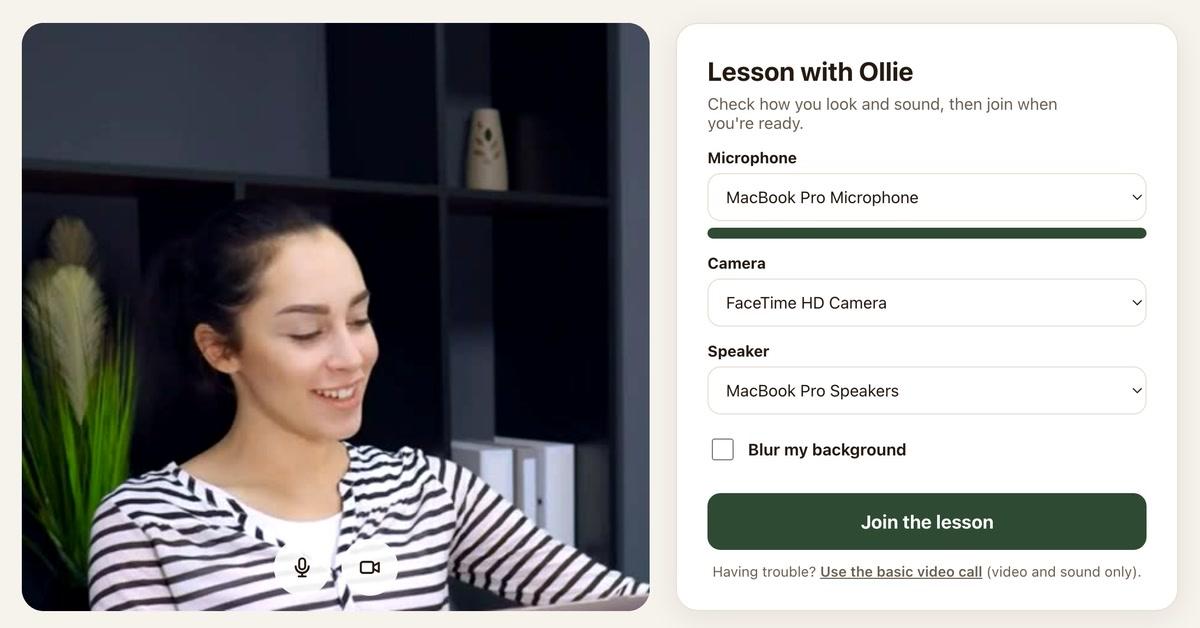
Check how you look and sound
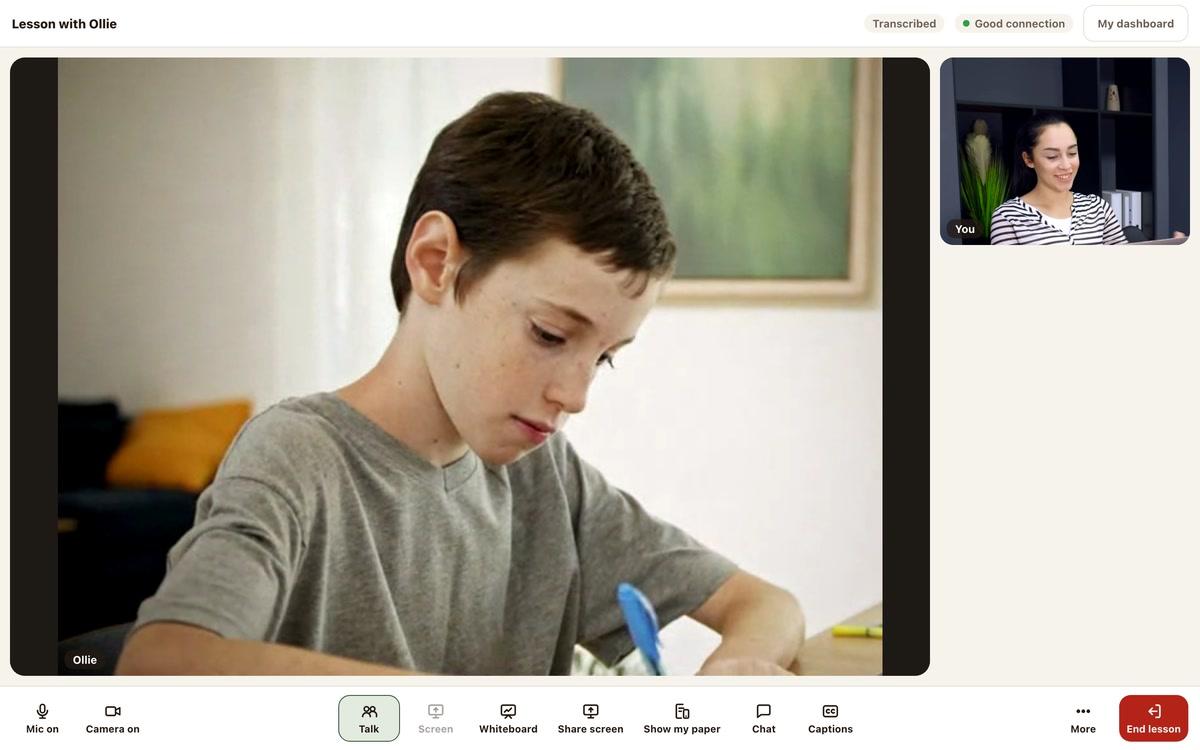
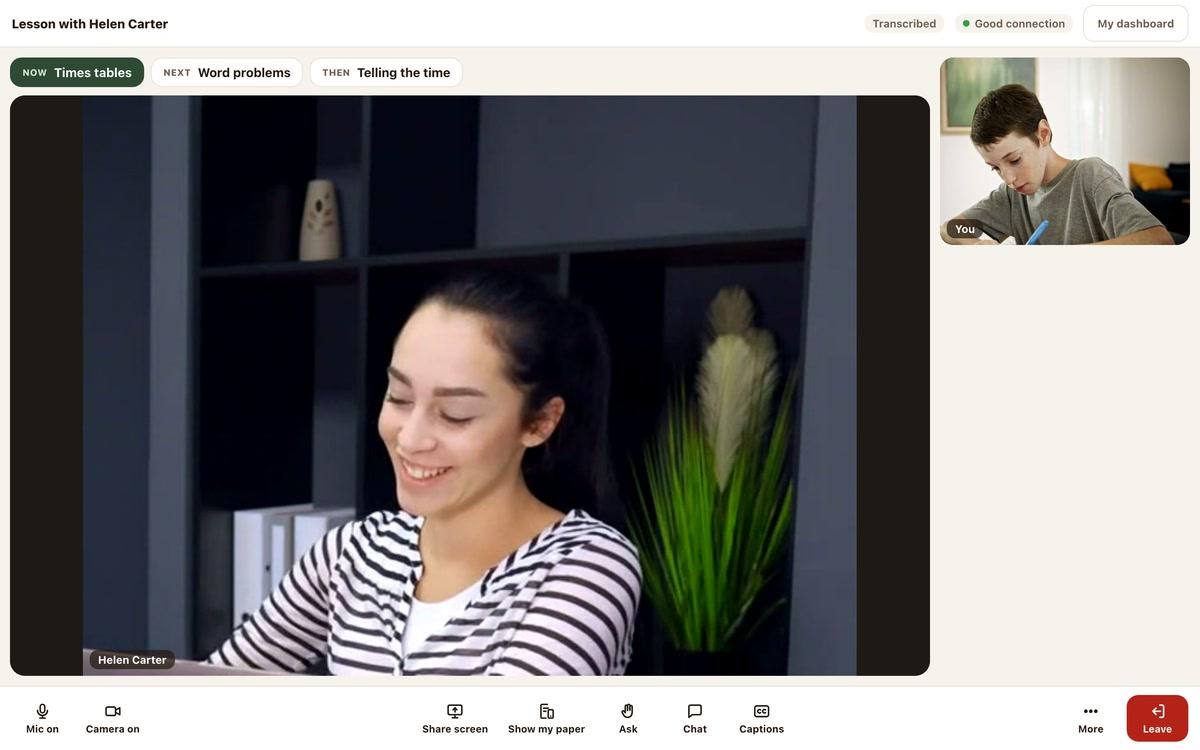
On Your lesson, check your picture and the Microphone, Camera and Speaker controls. When you’re ready, press Join the lesson to enter the call. The screens say lesson even when you’re joining an intro.
- Check your microphone level bar
- Join when you're ready
Step 6
Add the intro to your tutor dashboard
On your intro link page, find Want this on your tutor dashboard?. Press Create your account to open the tutor application. Once you’ve created your account, this intro session will already be there, with messaging, bookings and payments in one place.
- An account is optional for this call
- Your intro carries over to your account
Good to know
If you already have an account
Joining on a phone
Transcribed for safeguarding
Still stuck?
We will sort it out with you
Tell us what you pressed, what you saw, and which device and browser you are using.